This is part of Install SharePoint Server 2016 article
The following is step by step pictures which demonstrate how to install SharePoint Server 2016 on a server
Install SharePoint Server 2016 Step by Step
Step 1: Turn off the IE Enhanced Security Configuration
This step I use the internet connection to install the prerequisite. Hence, the server has to be able to download and install from the internet. The following picture demonstrates how I turn it the IE Enhanced Security Configuration off
From Server Manager windows, Click on Local Server on the left navigation ⇒ Click on the On link next to IE Enhanced Security Configuration to turn it off
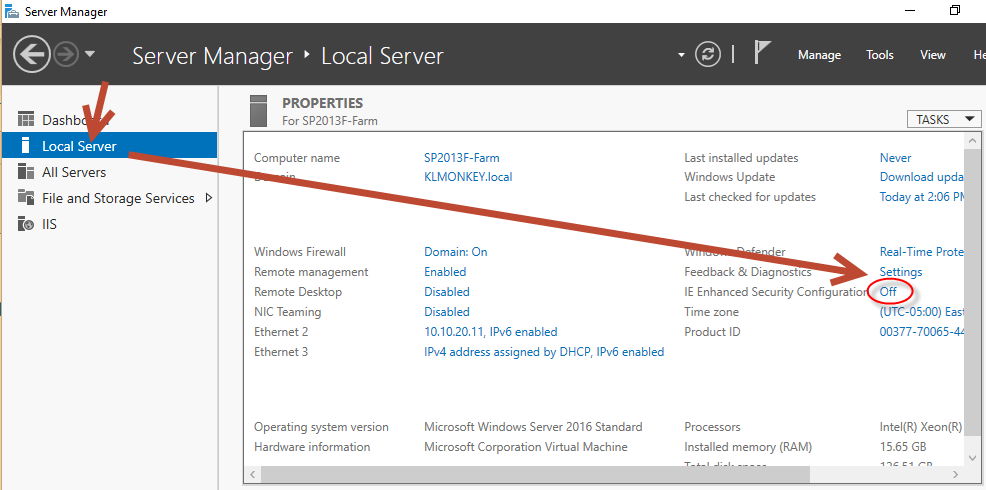
From Server Manager windows, Click on Local Server on the left navigation ⇒ Click on the On link next to IE Enhanced Security Configuration to turn it off
Step 2: Run “Microsoft SharePoint 2016 Products Preparation Tool”
After restarting the server, if the prerequisite doesn’t start automatically, you can start it manually by using the following command
Start “Launch SharePoint preparation tool” “E:\prerequisiteinstaller.exe” /continue

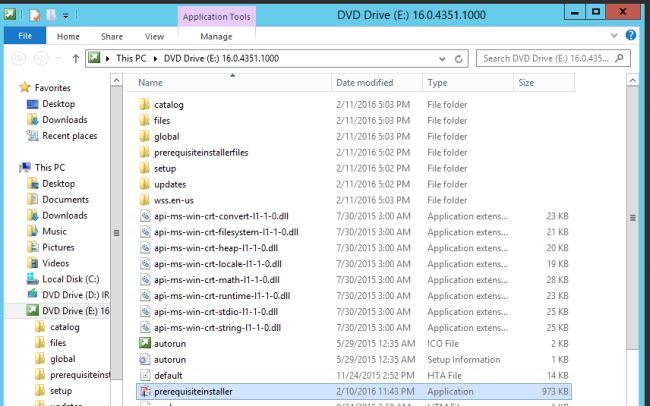
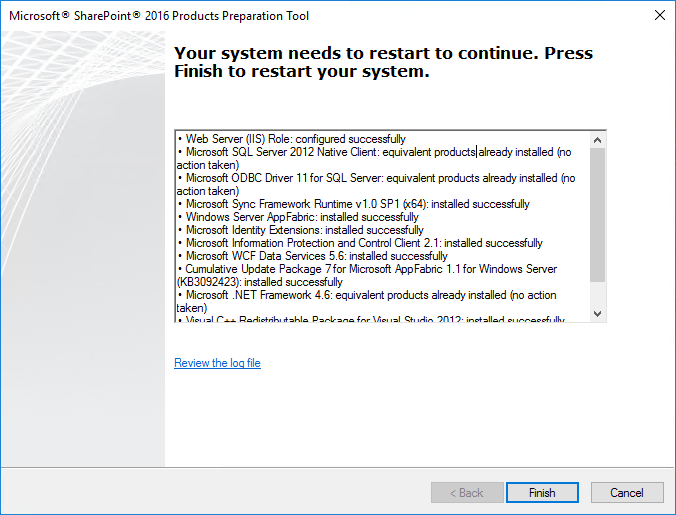
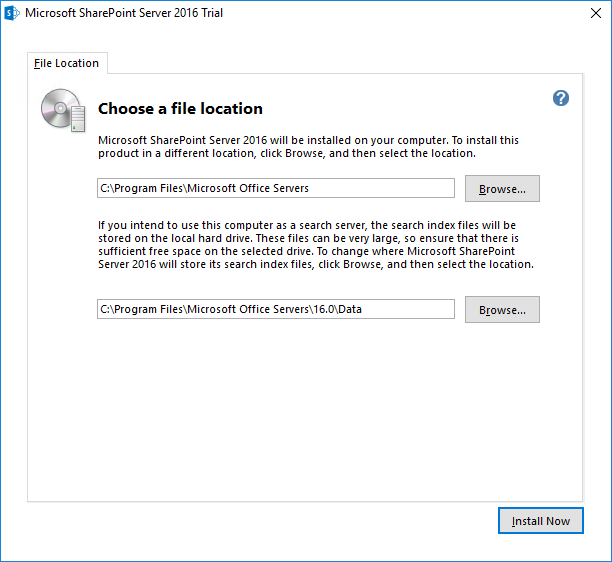
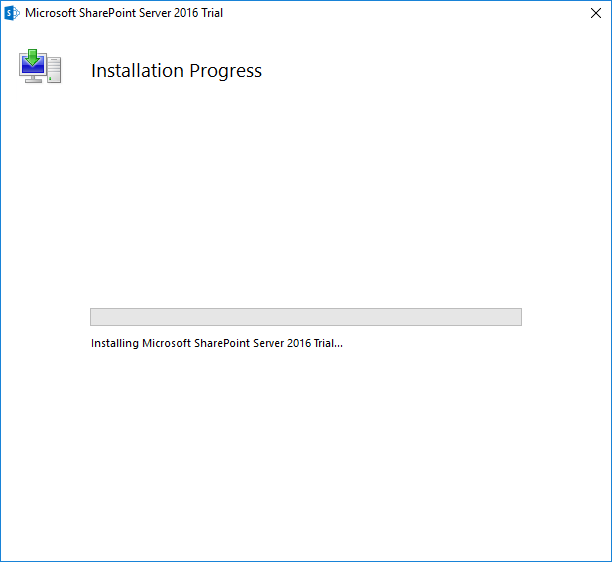
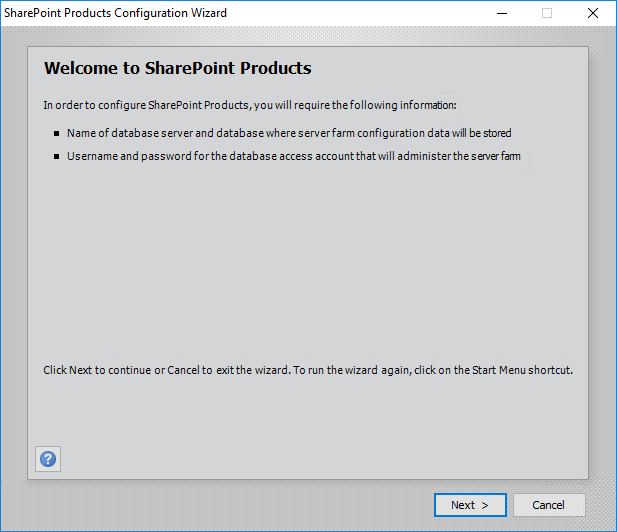
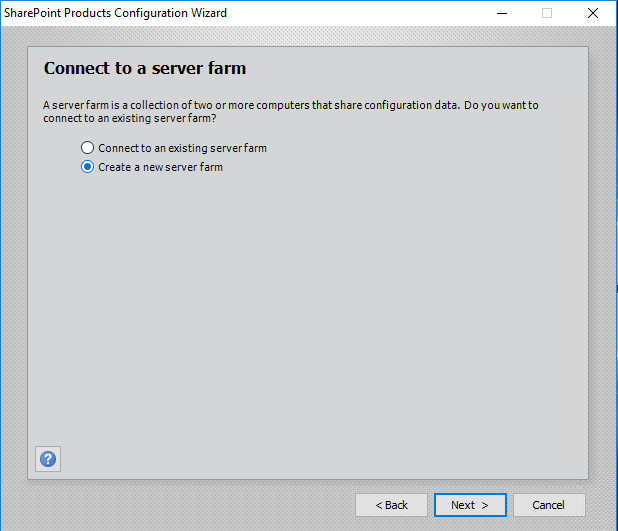
Step 3: Install SharePoint Server
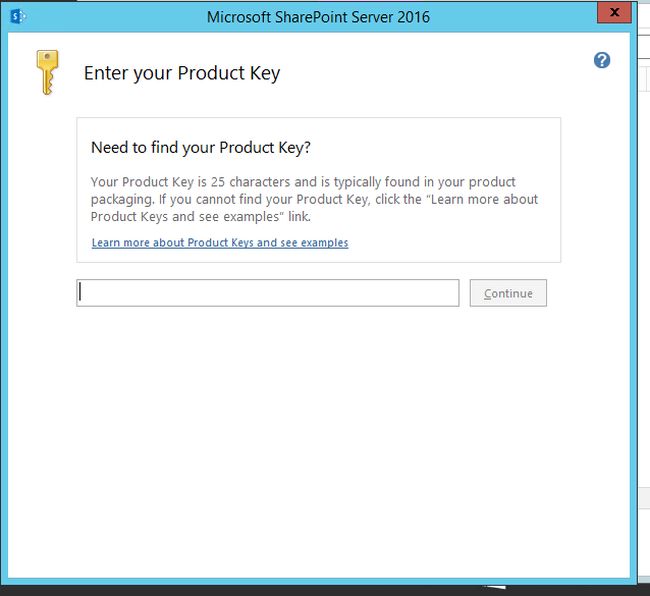
Run SharePoint 2016 “Setup.exe”
Use the trial key NQGJR-63HC8-XCRQH-MYVCH-3J3QR




Discover more from SharePoint Monkey
Subscribe to get the latest posts sent to your email.