




Microsoft Copilot Cowork reached general availability on June 16, 2026, marking one of the most significant shifts in how Microsoft 365 handles AI-powered automation. However, this is not just another Copilot feature update. Copilot Cowork represents an entirely new way for knowledge workers to delegate multi-step tasks to an AI agent that runs in the cloud, even when your laptop is closed. In this guide, we break down what Microsoft Copilot Cowork does, how its credit-based pricing works, and exactly how to enable it for your organization.
What Is Microsoft Copilot Cowork and Why Does It Matter?
Where traditional Copilot Chat answers questions and generates quick outputs, Microsoft Copilot Cowork actually does the work. It handles longer, multi-step tasks that span several Microsoft 365 apps. For example, you can ask Cowork to pull data from SharePoint, summarize it in a Word document, draft an email in Outlook, and schedule a follow-up meeting — all from a single conversation.
The key differentiator is that Microsoft Copilot Cowork runs in a secure cloud-hosted environment. As a result, your tasks keep running even after you close your laptop or step away from your desk. Additionally, no files are stored on the local device, which is a significant advantage for organizations with strict data residency requirements.
According to Microsoft, more than half of the Fortune 500 used Copilot Cowork during its three-month Frontier preview. Companies like Accenture, Avanade, Capital Group, Koch, and Zurich Insurance were among the early adopters. This widespread enterprise adoption suggests that Microsoft Copilot Cowork addresses a genuine gap in how organizations use AI for day-to-day productivity.
13 Built-In Skills That Power Microsoft Copilot Cowork
Microsoft Copilot Cowork ships with 13 built-in skills that cover the most common enterprise workflows. These skills allow Cowork to interact natively with the Microsoft 365 apps your organization already uses. Here is a breakdown of each skill and what it enables:
- Word — Create, edit, and format Word documents based on your instructions.
- Excel — Build spreadsheets, apply formulas, and analyze data sets.
- PowerPoint — Generate slide decks from raw content or meeting notes.
- PDF — Create and manipulate PDF files for documentation workflows.
- Email — Draft, send, and manage Outlook emails on your behalf.
- Scheduling — Book meetings, find available time slots, and send invitations.
- Calendar Management — Review your calendar, flag conflicts, and reorganize events.
- Meetings — Extract action items, generate recaps, and send follow-up messages.
- Daily Briefing — Compile a morning summary of emails, tasks, and calendar events.
- Enterprise Search — Search your organization’s data across SharePoint, OneDrive, and Teams.
- Communications — Post messages to Teams channels and chats.
- Deep Research — Conduct multi-source research across internal and external data.
- Adaptive Cards — Create rich, interactive card-based notifications and prompts.
Moreover, organizations can build up to 50 custom skills that capture their own processes, tone, and workflows. For instance, a finance team might create a custom skill that pulls data from Dynamics 365, calculates win/loss ratios, and posts a weekly briefing to a Teams channel every Monday morning.
How Microsoft Copilot Cowork Pricing and Credits Work
Microsoft Copilot Cowork uses a consumption-based billing model centered around a new metered unit called a Copilot Credit. This is separate from your existing Microsoft 365 Copilot license, which remains at $30 per user per month. In other words, you need both the Copilot license and credits to use Cowork.
Each Copilot Credit costs $0.01 under pay-as-you-go billing. However, the total cost per task varies depending on the model used, the amount of organizational context retrieved, the number of tools called, and the task duration. Microsoft provides the following general cost tiers:
- Light tasks (quick lookups, simple drafts): approximately $1 to $3
- Medium tasks (multi-step document creation, research): approximately $4 to $7
- Heavy tasks (complex multi-output workflows): $7 or more
Organizations can also purchase prepaid credit commitments at a discount. Prepaid credits are consumed first, and any usage beyond the prepaid amount automatically rolls over to pay-as-you-go rates. Therefore, enterprises with predictable Cowork usage should consider prepaid plans to reduce costs.
There is an important deadline to keep in mind: by July 1, 2026, usage-based billing must be configured in your tenant, or Cowork access will be suspended. If your organization used Cowork during the Frontier preview between March 30 and June 16, you have a grace period and will not be billed until July 1.
Security and Compliance in Microsoft Copilot Cowork
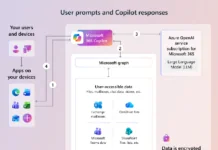
For IT administrators, the security and compliance story around Microsoft Copilot Cowork is particularly compelling. All Cowork prompts, responses, and generated artifacts flow through your existing Microsoft 365 security controls. Consequently, the data governance framework you have already built extends naturally to Cowork interactions.
At general availability, Microsoft Copilot Cowork supports the following compliance capabilities:
- Audit logging — Every Cowork interaction is logged and auditable through Microsoft Purview.
- eDiscovery — Cowork prompts, responses, and referenced files can be searched and exported.
- Data Security Posture Management (DSPM) — Monitor how AI interacts with sensitive data.
- Insider Risk Management — Detect anomalous Cowork usage patterns.
- Communication Compliance — Apply policies to Cowork-generated communications.
- Sensitivity labels — Labels are inherited and displayed end-to-end throughout Cowork sessions.
- Data Lifecycle Management — Reached GA on June 22, 2026, for retention and deletion policies.
Additionally, Microsoft Entra ID authenticates every Cowork request under the user’s identity. As a result, Cowork inherits the same access permissions as the user, which prevents it from retrieving information outside approved boundaries. This is the same zero-trust model that governs all Microsoft 365 Copilot interactions.
Data Loss Prevention (DLP) integration is listed as “coming soon,” so organizations that depend heavily on DLP policies should factor this into their rollout timeline.
How to Enable Microsoft Copilot Cowork for Your Organization
Microsoft Copilot Cowork is off by default. Admins must explicitly enable it and configure spending controls before users can access the feature. Here is the step-by-step process for getting your tenant ready:
Step 1: Enroll in Frontier. Go to the Microsoft 365 Admin Center, then navigate to Copilot → Settings → Frontier. Enroll the tenant. Importantly, the admin account itself must also be enrolled in Frontier, otherwise Cowork will not appear in Agent management settings.
Step 2: Configure usage-based billing. Navigate to Copilot → Cost Management and select “Get Started.” This step activates the billing infrastructure and is what actually turns Cowork on for your organization. You must set spending limits at the tenant, group, and user levels.
Step 3: Configure AI providers. Go to Settings → Copilot → Agent 365 settings to confirm which AI providers are enabled. In the EU and UK, you must explicitly enable Anthropic models as a sub-processor in the M365 Admin Settings.
Step 4: Set access policies. Define which users or groups can use Cowork and how many credits they can consume. The Cost Management dashboard provides centralized controls for managing spend across the organization.
Remember, the billing configuration deadline is July 1, 2026. Any tenant that has not configured usage-based billing by that date will lose access to Cowork until billing is set up.
Building Custom Skills for Microsoft Copilot Cowork
One of the most powerful aspects of Microsoft Copilot Cowork is the ability to create custom skills. A skill is essentially a reusable set of instructions that tells Cowork how to complete a specific task or workflow. This means you can capture your organization’s preferred processes, templates, and tone, and then ask Cowork to apply them consistently.
For example, a managed service provider might create a skill that automatically generates a weekly client status report by pulling ticket data, summarizing resolutions, and formatting the output in the client’s preferred template. Similarly, an HR department could build a skill that drafts onboarding emails for new hires based on their department, role, and start date.
Custom skills are defined through SKILL.md files, which use a straightforward markdown-based format. Organizations can create up to 50 custom skills, and these skills can also leverage plugins from the Microsoft 365 App Store to connect with external services like Dynamics 365, ServiceNow, or Salesforce.
Furthermore, Microsoft Copilot Cowork supports the deployment of custom plugins that add entirely new capabilities. This extensibility model means that as your organization’s needs evolve, Cowork can grow with them without requiring changes to the underlying platform.
Microsoft Copilot Cowork vs. Microsoft Scout: Understanding the Difference
With both Copilot Cowork and Microsoft Scout launching around the same time, it is worth clarifying how they differ. Microsoft Scout, unveiled at Build 2026, is an “Autopilot” agent — an always-on, autonomous agent that works proactively on your behalf without needing a prompt each time. Scout builds long-term context through a feature called Work IQ, learning your patterns and priorities over time.
In contrast, Microsoft Copilot Cowork is task-driven. You describe what you want done, Cowork breaks it into steps, and you approve each action before it executes. Cowork is the hands-on collaborator, while Scout is the proactive assistant that anticipates what you need.
Currently, Scout is only available in private preview and through Frontier for select organizations. It requires Intune policy configuration, an opt-in attestation, and a GitHub Copilot license. Meanwhile, Microsoft Copilot Cowork is generally available to all organizations with Microsoft 365 Copilot licenses.
What Microsoft Copilot Cowork Means for Your Organization
The general availability of Microsoft Copilot Cowork signals a clear direction for Microsoft’s AI strategy: moving from AI that answers questions to AI that completes work. For IT administrators, the immediate priority is to evaluate the billing model, configure spending controls, and identify which teams would benefit most from Cowork’s automation capabilities.
Organizations that have already invested in Microsoft 365 Copilot will find the transition straightforward. The same governance, security, and compliance controls apply. However, the consumption-based pricing model introduces a new dimension to cost management that IT and finance teams need to monitor closely.
For teams that frequently handle repetitive multi-step workflows — weekly reporting, meeting follow-ups, document generation, data compilation — Microsoft Copilot Cowork could deliver meaningful time savings. The custom skills framework also means that the value grows as organizations invest in codifying their own processes.
Want to stay up to date on the latest Microsoft 365 and AI developments? Explore more articles on SharePoint Monkey for in-depth guides, walkthroughs, and news coverage tailored for IT professionals.
Sources
- Copilot Cowork is now generally available — Microsoft 365 Blog
- Copilot Cowork overview — Microsoft Learn
- What’s new in Copilot Cowork — Microsoft Learn
- Usage-Based Billing and Cost Management for Copilot Credits — Microsoft Learn
- Manage Copilot Cowork for your organization — Microsoft Learn
- Introducing Microsoft Scout — Microsoft 365 Blog
- Microsoft Announces General Availability of Copilot Cowork — Redmond Channel Partner
- What’s New in Microsoft 365 Copilot: June 2026 — A Guide to Cloud & AI
Discover more from SharePoint Monkey
Subscribe to get the latest posts sent to your email.