Sending email by using a digital signature
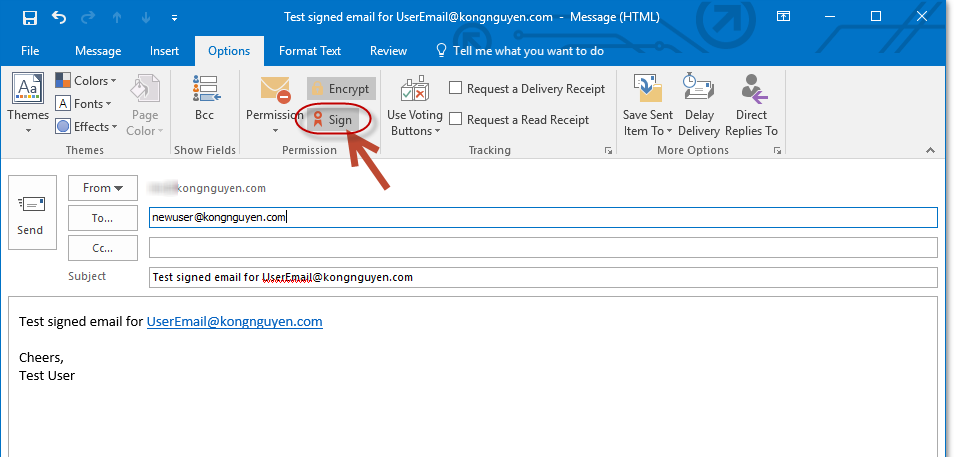
Now is time to send your email securely. From the New email windows box, click on Options tab. In the Permission section, make sure the Sign button is selected.
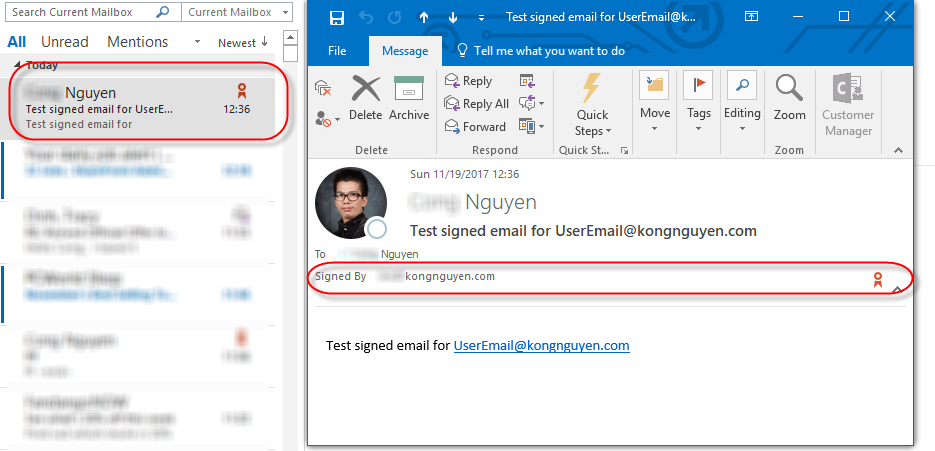
An email receiver will receive an email which includes Signed by information as below.

For more information on encryption and how it protects your data, you can check out this article
Related Articles
- Security and Risk Management
- Enable Multi-Factor Authentication for Office 365
- Useful Tools for Security and Networking
- Common Ports and Their Associated Protocols in Networking
Discover more from SharePoint Monkey
Subscribe to get the latest posts sent to your email.